Studio
Drop in an MP3 or WAV and the avatar performs it. Auto-configure the look from the audio, fine-tune in the inspector, render a high-quality MP4.
v3.17.0 — macOS (Apple Silicon + Intel) · Windows · Give your voice a face
Point Orb Studio at your product and the built-in agent researches, writes, voices, films, and edits — screen demos fronted by a live avatar, content clips with generated music — finished MP4s, rendered on your machine with your own keys.
The app
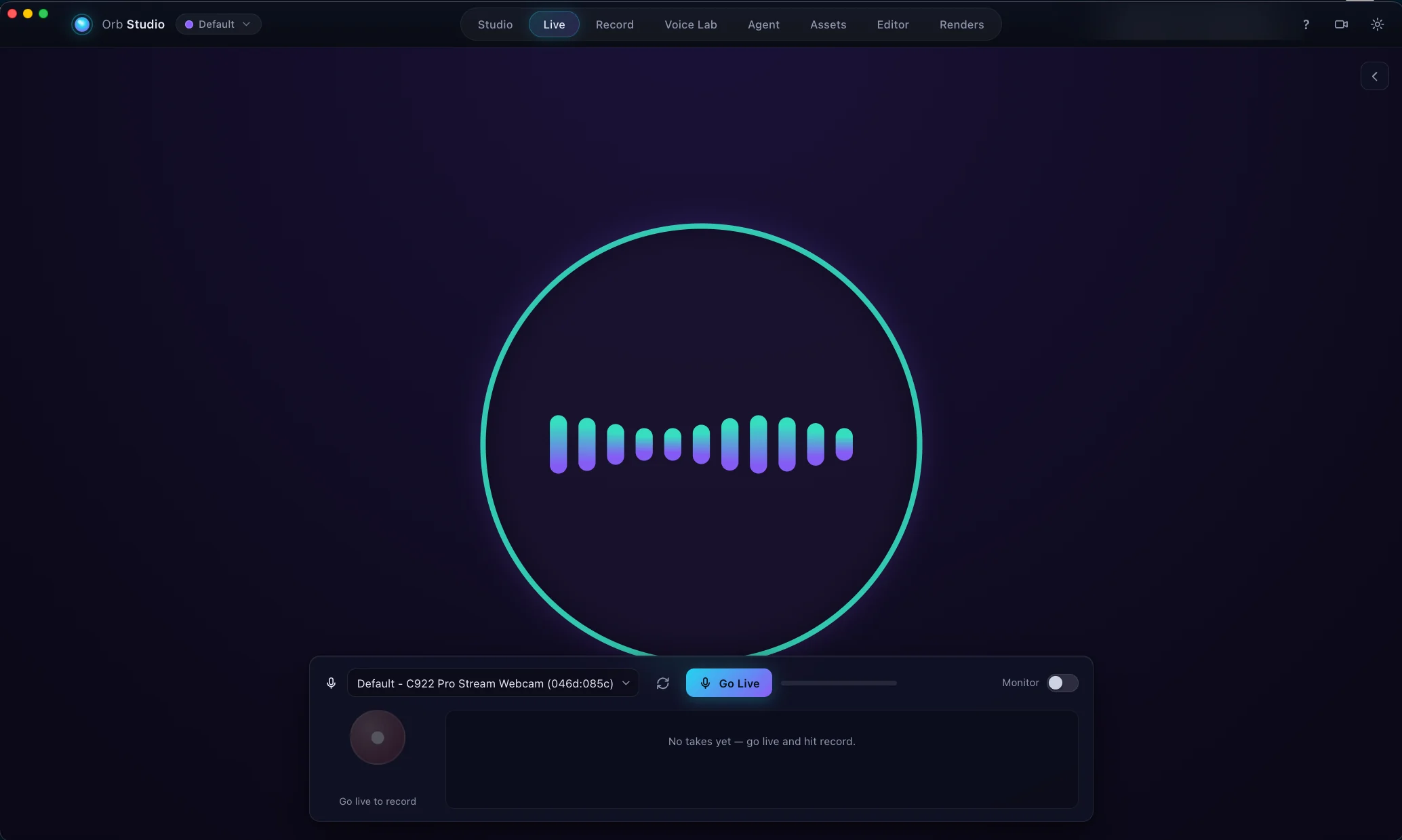
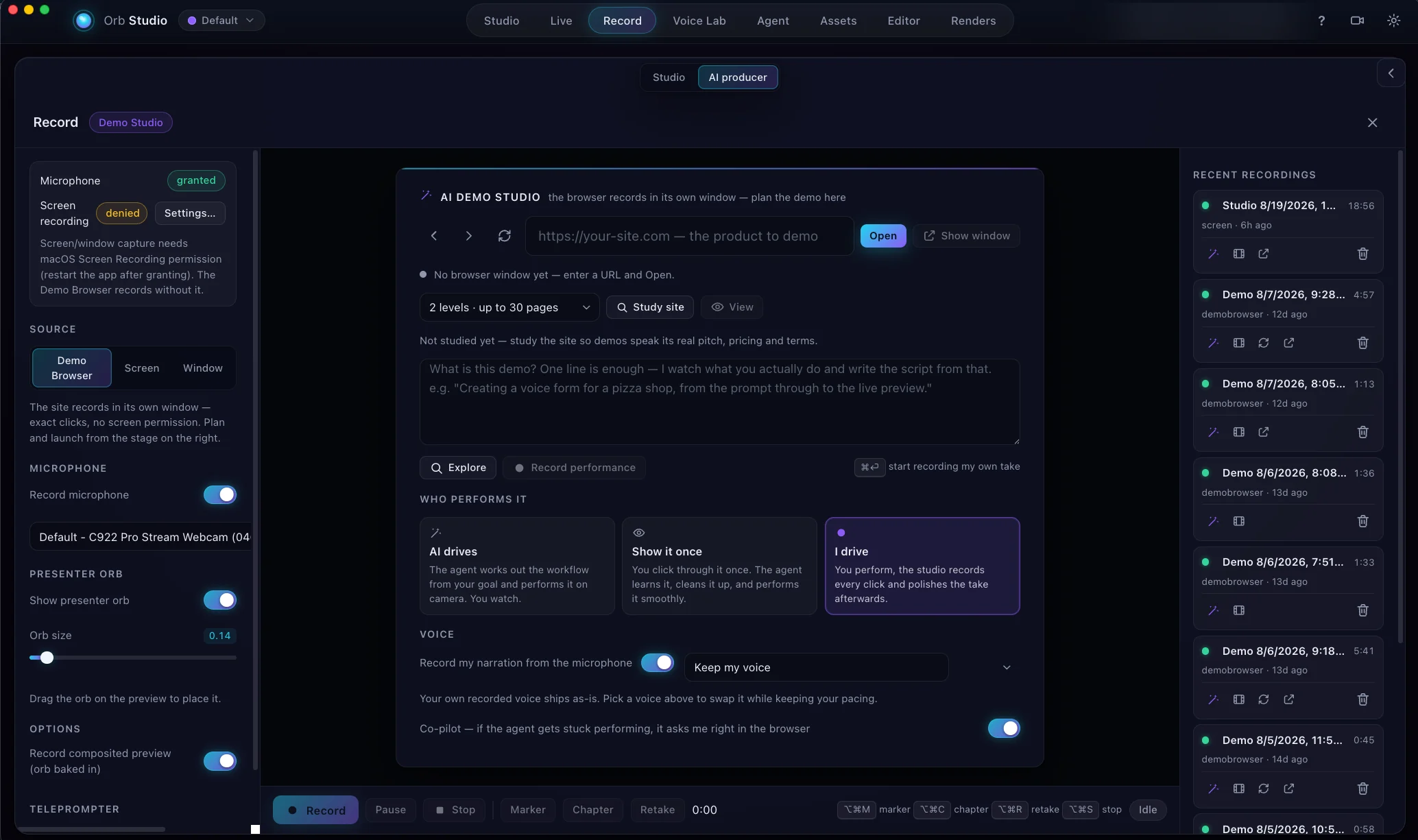
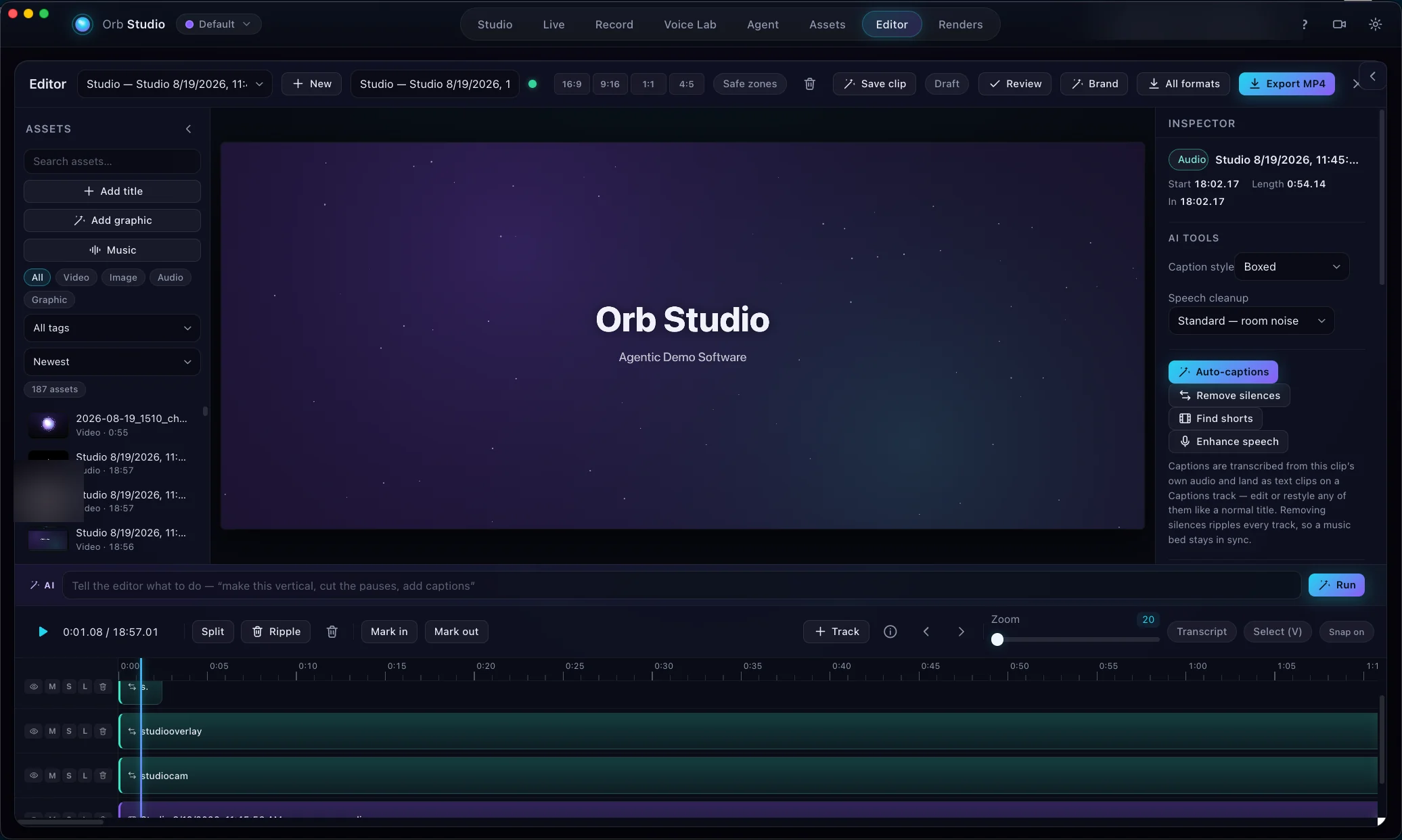
Live stage, agentic recorder, and a real multi-track editor — these are actual screenshots, not mockups.
The content agent
The part a traditional editor doesn't have: scheduled jobs research your brief, write a ~30-second script, voice it, art-direct every scene, choreograph the motion, and render the MP4 — while you do something else.
Writes with the LLM you already use: Anthropic OpenAI OpenRouter Straico Ollama · local
Avatar styles
Live renders — not video. Every style is audio-reactive, deterministic, and transparent-background safe. Hover or focus one to make it speak.
Manual Recording Studio
The Editor
faststart files at 720p, 1080p, 4K, square, or vertical.The modes
From a dragged-in audio file to a finished, ready-to-post MP4.
Drop in an MP3 or WAV and the avatar performs it. Auto-configure the look from the audio, fine-tune in the inspector, render a high-quality MP4.
Pick a microphone and go live — the avatar reacts in real time. Record takes, render them, or send them on to the Voice Lab.
Send any take through the Voispark voice changer. Browse ElevenLabs and Cartesia enhanced voices, transform, A/B compare, use the result anywhere.
An agentic screen-recording studio with a presenter avatar. One-click Polish — silence cuts, filler removal, voice swap — and an Auto-Director pass.
A clean, chromeless avatar window for OBS, Zoom, Meet, or Teams. Chroma-green Broadcast preset keys the avatar over anything.
A managed content factory: scheduled jobs research your brief, write a script, voice it, and render the finished clip — automatically, per brand.
A real multi-track timeline: drag, trim, split, chroma key, titles, fades, per-clip transforms, undo/redo, autosave, MP4 export.
A described, tagged library the AI casts from. Missing files are flagged, never silently broken — relink once and every project heals instantly.
Streamers
Click Camera and a clean, always-on-top avatar window opens. Capture it in OBS, key the chroma-green preset over your scene, or share it in Zoom, Meet, or Teams — your voice, with a face that isn't yours.
Agencies
A brand owns its entire world — API keys, asset library, knowledge, posts, editor projects, brand kit, even Demo Browser logins — and nothing leaks between brands. The setup wizard can crawl a client's website and write the brand brief for you.
Bring your own keys
Orb Studio ships with no API keys baked in and no account to create. Every key is yours, entered once, stored only on your machine, and sent nowhere but the provider you configured.
A first-run Setup Wizard walks each service with a plain-English note, a link to get a key, and a Test key button — and the built-in Guide documents every mode, searchable and fully offline.
Download
No account, no sign-up — it's a desktop app. Pick your machine:
Running it from an AI agent? The Hermes Agent skills & docs bundle (v3.17.0 · zip) teaches an agent to run several brands in Orb Studio over its local API and MCP: brands, presets, videos, the chat and the Newsroom. Your spend approvals still stay with you. Turn on Settings → Local agent control, then follow the bundle's README.
Which Mac do I have? Apple menu → About This Mac. "Apple M1/M2/M3/M4/M5…" → Apple Silicon; otherwise Intel.
MP4 encoding uses ffmpeg on your PATH: brew install ffmpeg (macOS) or winget install ffmpeg (Windows). Everything except the final MP4 conversion works without it.
Not yet notarized by Apple. macOS 15 and later (including new Apple silicon Macs): open Orb Studio once, then go to System Settings → Privacy & Security and click Open Anyway. On older macOS, right-click the app → Open. Windows SmartScreen: More info → Run anyway. Once installed, Orb Studio updates itself.
FAQ
Deeper than this? The Guide covers every mode, every key, and every fix in detail — the same manual built into the app.
No. There's no sign-up, no login, and no Orb Studio server. You install the app and, for the features that call AI services, enter your own API keys.
Voice changing uses Voispark, music generation uses VoiSpark Music, and script writing uses your choice of Anthropic, OpenAI, OpenRouter, or Straico — or a local model via Ollama with no key at all. Keys are stored only in the app's local data folder on your machine and are sent nowhere except the provider you configured.
The core studio does: performing audio, the live avatar, the camera window, recording, editing, and rendering are all local. Features that call a provider — voice transforms, music generation, agent script-writing — need the network (or a local Ollama model). The built-in Guide is fully offline too.
Yes. Camera mode opens a clean, chromeless avatar window: capture it in OBS (Window Capture → Orb Camera), or share the window in Zoom/Meet/Teams. For a keyable avatar, pick the Broadcast chroma-green preset and add a chroma key filter. Route OBS's Virtual Camera to use it as a true system camera.
Orb Studio isn't notarized by Apple yet, so macOS Gatekeeper and Windows SmartScreen warn about it, as they do for any app that isn't, regardless of what it does. macOS 15 and later (including M-series and new M5 Macs): open the app once, then System Settings → Privacy & Security → Open Anyway. Older macOS: right-click the app → Open, once. Windows: More info → Run anyway. After that, Orb Studio updates itself.
Jobs run on their schedule while the app is open — everything happens on your machine, so there's no cloud queue running without you. Renders land in your output folder (default ~/Movies/Orb Studio) with a JSON sidecar of the script and voice settings.